Snare Releases Latest Versions of Snare Central and a New User Interface for Cloud Log Collections

The latest versions of Snare support greater analytics, improved cloud logging capabilities, and remote monitoring and working.

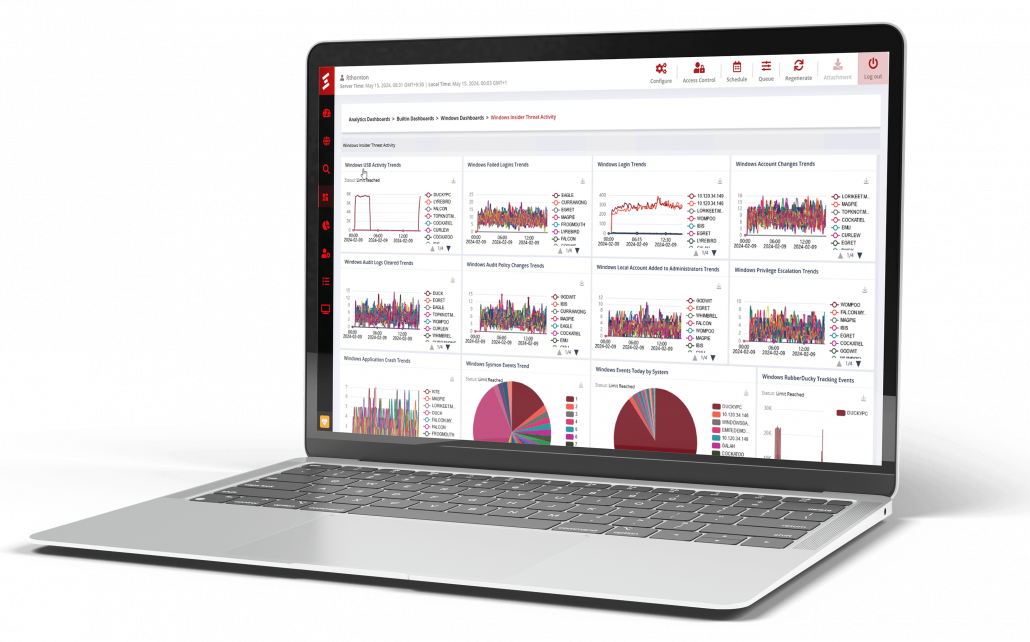
Snare Analytics Dashboards

License required: the Snare Advanced Analytics (SAA) or Snare Advanced Threat Intelligence (SATI) license features.

What you can do with the new version:

  • visualize the data you collect to gain security insights and discover issues early.
  • combine the power of Events Search, where you can construct test and save log data queries, with the visual components you can use to visualize the results.
  • create pie charts, bar charts, line charts, tables, and cards to build your own dashboard, or use one of the {{N}}pre-built Analytics Dashboards that are available out of the box.
  • arrange dashboard components in a grid-style pattern or resize them to highlight the importance of specific information.

components can be linked to visualize different perspectives on the same data query.
Log Collection From Cloud Providers

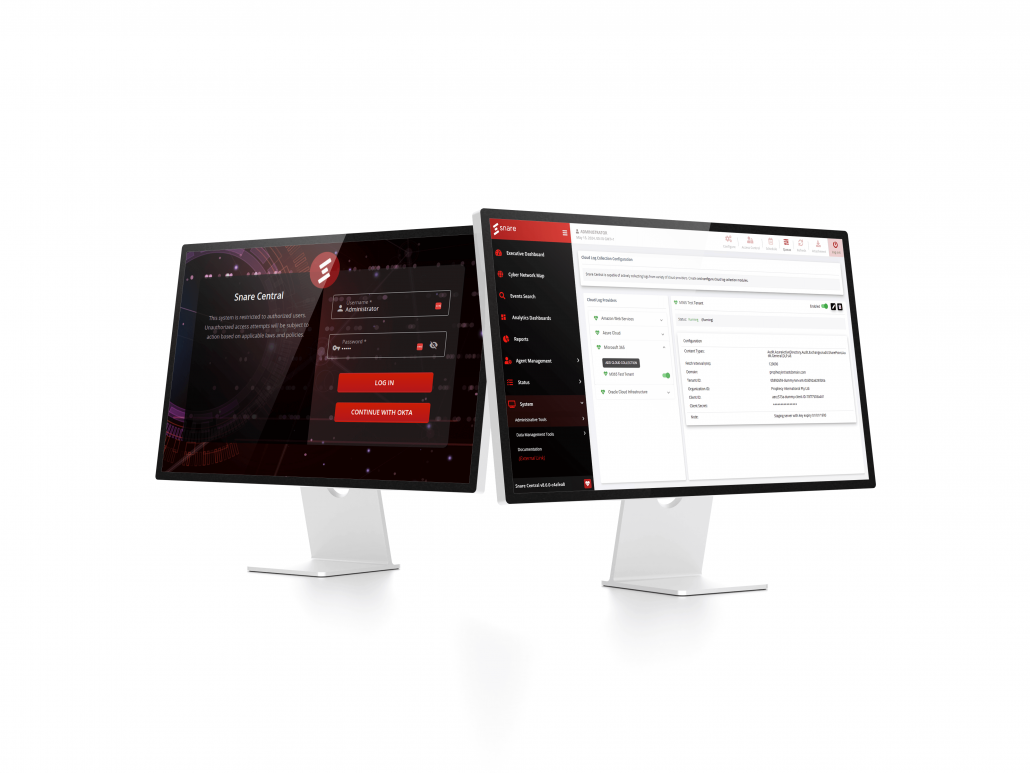
A new user interface provides the capability to configure event log collection from supported cloud providers.

Review the ‘How To’ document here: System > Administrative Tools > 

Reports for the new log types are available out-of-the-box for the supported cloud providers Microsoft 365, Azure Cloud, Amazon Web Services (AWS), and Oracle Cloud Infrastructure (OCI).

Microsoft 365

License required: This capability requires the Office 365 Logs Collection (IA_CLOUD_O365) or Cloud Logs Collection (IA_CLOUD) license features.

What you can do with the new version:

  • a new user interface is now available to configure log collection from the Office 365 Management Activity API.
  • first introduced in Snare Central v8.5.0, activity logs can be collected from the Office 365 Management Activity API, including user, admin, system, and policy actions and events from Office 365 (rebranded to Microsoft 365) activity logs.
  • in this release, scalability and stability of the collection process are significantly improved.

Review the ‘How To’ document here:

User Guide > Microsoft 365 – Cloud Log Collection Configuration

Azure Cloud

License required: This capability requires the Office 365 Logs Collection (IA_CLOUD_O365) or Cloud Logs Collection (IA_CLOUD) license features.

What you can do with the new version:

  • Snare Central can be configured to collect activity logs from the Azure Log Analytics Workspace API.
  • there are 59 new reports available out-of-the box for Azure cloud logs.

Review the ‘How To’ documents here:

User Guide > Microsoft Azure – Cloud Log Collection Configuration

User Guide > Log Types: Azure

Amazon Web Services

License required: This capability requires the Amazon Web Services Log Collection (IA_CLOUD_AWS) or Cloud Logs Collection (IA_CLOUD) license features.

  • Snare Central is capable of collecting logs from the AWS Kinesis Data Streams via the Kinesis Data Streams API.
  • there are 13new reports available for AWS logs.

Review the ‘How To’ documents here:

User Guide > Amazon Web Services (AWS) – Cloud Log Collection Configuration

User Guide > Log Types: Azure

Oracle Cloud Infrastructure

License required: This capability requires the Oracle Cloud Log Collection (IA_CLOUD_ORACLE) or Cloud Logs Collection (IA_CLOUD) license features.

What you can do with the new version:

  • Snare Central can be configured to collect audit logs from the Oracle Cloud Infrastructure (OCI).
  • there are 25new reports available for Oracle Cloud logs.

Review the ‘How To’ documents here: {{user guide}}

User Guide > Log Types: Oracle Cloud Infrastructure

Executive Dashboard

The Main Dashboard has been renamed ‘Executive Dashboard’.


  • the Historical Collectiongraph now displays an additional column for Compressed Bytes and shows a summary of received data volume versus stored compressed data volume. This lets you see how much storage savings you are achieving with Snare’s bespoke storage layer.
  • the Live Eventschart now shows events per second (EPS) instead of bytes per second (BPS).
  • integration with Okta:single sign-on (SSO) and multi-factor authentication (MFA) is now available in Snare Central for customers using Okta and can be enabled by the Administrator via Configuration Wizard > Identity and Access Management Setup.
    When enabled; users will be able to log in to Snare Central with their Okta account. The Local Administrator account can log in directly to manage Okta integration settings.

Review the ‘How To’ documents here:  Appendix C – Creating a SSO and MFA OpenID Connect Integration with Okta
Improvements: Snare Agents Configuration Management via SAM

Snare Central v8.6.0 includes Snare Agent Manager (SAM) v2.0.0.

  • the latest improvements introduce the capability to remotely manage Snare Agents configuration and policies.
  • the new capabilities of SAM will replace the legacy Agent Management Console (AMC) ( component. AMC will be removed in future releases.
  • SAM, in combination with Agents v8.5.0 or newer, has the capability to use a firewall friendly ‘pull style’ configuration management capability, rather than AMC’s push-style capability.

Please refer to SAM documentation for details:

Release Notes for Snare Agent Manager v2.0.0

SAM User Guide > Agents Policies Management

AMC to SAM Migration Guide for Remote Agents Configuration Management

  • improved performance and functionality of the real-timealert  Migrated to a new real-time subsystem, reducing the reliance on a legacy internet protocol database (IPDB) data access layer.
  • improved real-time alerts to report on every match and not only on a highest priority one.
  • additional options are available for email, SMS, and simple mail transfer protocol (SMTP) notifications, configurable via Configuration Wizard > Alert Manager Setup https://jira.intersectalliance.com/browse/SS-3562

Review the ‘How To’ documents here:  User Guide > Configuration Wizard > Alert Manager Setup

Other Features and Enhancements

  • Events Search enhancements:
    • returns the exact number of returned events, instead of the generalized ‘at least this number’ of events.
    • results now display an accurate number of extracted events, rather than an estimated number.
    • improved speed of pagination and sorting for event search results.
    • improved display of error messages to be more descriptive of events.


  • Reflector improvements:
    • improved collection performance by introducing geolocation caching and other performance optimisations.
    • improved the CiscoFTDLogSecurityEvent log processing speed.
    • an event truncation is now available for very large incoming events.
    • events arriving at the Snare Central server will be truncated at 5 MB in size per event (this is configurable and can be disabled). This provides increased protection against potential massive-event Denial-of-Service (DoS) attacks against the audit collection infrastructure in situations where untrusted third parties can potentially generate event data.
    • batch destinations, like the Elastic bulk upload facility, will report a ‘connected’ state to the health checker once the first connect attempt succeeds, until a failed connection attempt occurs.
    • the ‘Snare Server 7.1+’ format description has been updated on the Help page to reduce confusion.


  • Cyber Network Map now displays additional AWS, Azure, Snort, SonicWall, CiscoRouterLog, and FortiGate Log Types, enriched with geolocation data. New additions include:
    • a warning on the AMC page to recommend managing Agents v5.8.0 configurations via SAM.
    • email Alerts/Reports customisation options.
    • an ‘Override Email Subject’ option in the Email Setup section of the Configuration Wizard.
    • a ‘Customize Email Header’ section to the Dynamic Query configuration section to tailor the header of emails for reports.
  • SNMP can now be configured in the Snare Central user interface. A new snmpd subsection has been added to Configuration Wizard > SNMP Setup
    Review the ‘How To’ documents here: User Guide > Configuration Wizard > SNMP Setup
  • Removed the unused ‘Enable Date-Based Event Discard’ checkbox from the Configuration Wizard > Performance and Hardware
  • The unused systemd-timesyncd service is now disabled by default.
  • Removed mentioning of md5sum in the ‘System Software Check’ section of the Health Checker. MD5 is deprecated and newer hashing algorithms are now used.
  • Improvements to Support Data Retrieval:
    • allow the same file(s) to be downloaded multiple times.
    • allow generation of support data after previous execution was interrupted by reboot.
    • improved TLS issues logging.
  • Added support for CISCO ISE logs.
  • If the adaptive security appliance (ASA) source reports a hostname rather than an IP address, the private internet eXchange (PIX)/ASA common event format (CEF) output will use destination host (dhost) rather than destination IP (dst). Extraneous details will also be stripped from that field.
  • Added 84 new reports available out-of-the box:
    • 10 new reports for Windows Certificate changes on systems, including changes from a Windows Certificate authority
    • 30 new reports for logs collected via Windows Advanced Auditing policies in Snare V2 format
    • 5 new reports to cover MSSQL Server admin activity for events in Snare V2 format
    • 8 new reports to cover Sysmon new events 26, 27, 28, 29, new Trend Micro events for malware activity, and Windows Registry and RIM events
    • 3 new reports for Trend Micro events for malware activity
    • 2 new reports for Windows Registry and RIM events
    • 24 new reports for ApacheLog, IISWebLog, ISAWebLog, and MSProxySvr logs received in Snare v2 format
    • 2 new AppleBSM (macOS) reports for events in snare v2 format.
  • Events arriving in Syslog RFC5424 format, syslog MSGID, PROCID, and APPNAME are preserved for GenericLog events, if supplied.
  • Set default SSH LogLevel value to VERBOSE instead of INFO SS-3621for improved auditing.
  • Adjusted the firewall rules save/restore process to align with uncomplicated firewall (UFW) state. In situations where a firewall rule has been removed in the Snare Configuration wizard, but the Snare collection service has been terminated, there was a risk that a ‘ghost’ version of the firewall rule would be resurrected when the Snare collection service restarts. This update will force the saved firewall rules to correctly map to the rules specified in the wizard.
  • Added a clean-up of a temporary folder after successful upgrade.
  • Improvements to the daily log vacuum task include mail drop directory.
  • The Networking and IP Configuration options of the Snare Central Administration Menu support now dynamic host configuration protocol (DHCP).
  • A ‘six-monthly’ scheduling option is now available for reports.
  • Modified some report names to use consistent capitalisation for new installations. New packages added:
    • installed mount-s3 into Snare Central for use with S3 and oracle object storage mounting of data Added s3fs package for mount the S3 bucket
  • Added lightweight directory access protocol (LDAP)/transport layer security(TLS) support for the Agent Management > Snare Agents > Retrieve User and Group information from Windows Servers 
  • Included Canonicalfederal information processing standards (FIPS)-certified libraries in Snare Central.
  • Removed deprecated OpenVAS packages and functionality.
  • Upgraded JQuery version from 1.11.3 to the latest version 3.6.1.
  • Upgraded Bootstrap css framework from 3.2.0 to the latest version 5.3.0.
  • Upgraded Angular.js in Reflector UI to version 1.8.2.
  • Implemented restricted permissions for sensitive files.
  • Users with read only access are restricted from cloning reports owned by other users.
  • Improved permissions handling for cloning, creating container, and creating reports and objectives.
  • Fixed potential information leak in Ubuntu’s default message of the day (MOTD) command.
  • Improved fresh installation and upgrade processes to ensure that ElasticSearch is not installed if SATI is not enabled.
  • Improved secure handling of encryption keys in Snare Central.
  • Removed interactive, password-protected access to generated PDF files via the web interface.
  • Hardened the security of internal listeners.

After upgrading to Snare Central v8.6.0, please reboot your computer to apply changes.

Bug Fixes

  • fixed a problem in the backup and restore tool that blocked the restore functionality when an invalid filename or path was present in the backup.
  • fixed an issue in Event Search results that include events from disparate log types, where field names and data could sometimes be missing.
  • previously, when a new destination was added to the primary server, it was not secondarily updated in the High Availability (HA) cluster. This has been resolved.
  • removing data using the ‘Any Log Type’ command now works correctly.
  • updated the ‘Documentation External’ and ‘Configuration Wizard Documentation’ links to the latest User Guide for Snare Central.
  • updated the minimum disk space required warning to 400 GB during installation.
  • self-signed certificates generated by the Snare Central server now include fully qualified domain names.
  • Japanese characters now work in real-time alerts.
  • Resolved the issue with the console administration menu not disabling a network interface as expected.
  • Resolved a login problem when LDAP is enabled and configured to use SAMAccountName.
  • non-standard mount points can now have warning and problem thresholds configured in the Snare Central Health Checker.
  • the missing Bytes per Second graph is now displayed correctly on the Reflector Dashboard.
  • fixed the Expand functionality of the Reflector Dashboard graphs to respond immediately.
  • fixed issues with display and colouration of the Event Data pop-up window of the Pattern Map.
  • fixed parsing of Windows Apache Logs. The XAMPP default log format is now supported for Apache.
  • fixed broken layout of schedule data backup dialogue.
  • fixed browser errors in Configuration Wizard > Alert Manager Setup > IAM Setup section.

Operating System Updates

The following is a list of all packages and their respective versions included in the Snare Central installation. This is provided for compliance and auditing purposes. This same list can be generated from the command line with the ‘dpkg -l’ command.